

You can recharge your STC prepaid in Kuwait in minutes: use the MySTC app/web (KNET), enter a voucher PIN with the 500 code, recharge via mobile banking, or top up at retailers/self-service. Below are the fastest methods, exact codes, and fixes for common errors—so your line stays active.
Do this next
- Pick a method: MySTC (KNET), voucher PIN via 500, or mobile banking.
- Keep your STC number and (if used) the 14-digit voucher PIN ready.
- Top up, then confirm by checking your balance/SMS receipt.
All the ways to top up STC (fastest first)
MySTC app (KNET)
Open MySTC, choose Recharge/Top-up, enter amount, and pay with KNET or card. Funds usually post instantly and you’ll see a confirmation screen plus SMS.

Web quick recharge (no login)
Use the online quick recharge channel: enter number → amount → KNET. Ideal when you don’t want to sign in. Save a screenshot of the receipt.

Recharge voucher (14-digit PIN)
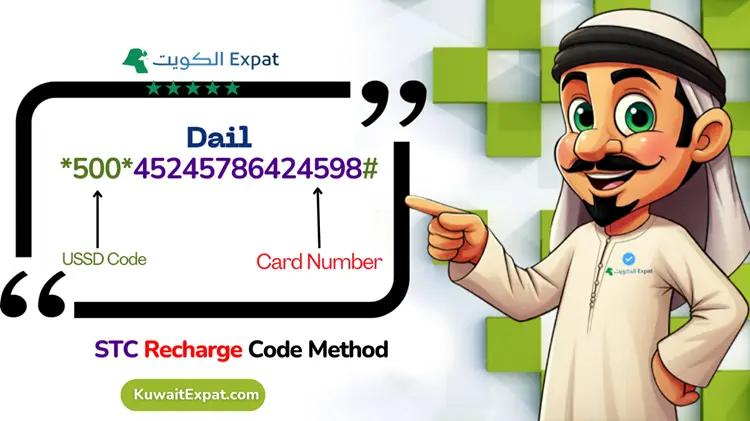
Buy a scratch card or e-voucher, reveal the 14-digit PIN, then recharge with the 500 code (see steps below). Works even if you’re out of mobile data.

SMS recharge (500)
Compose an SMS to 500 with the PIN in the message body. You’ll receive a reply confirming success or the error to fix. Keep the voucher until it’s accepted.

Mobile/online banking
Most Kuwaiti banks let you top up telecom lines. Choose Mobile Recharge/Payments → STC → enter number and amount. Posting is typically instant, with a bank receipt.
Retailers & self-service kiosks
Top up at supermarkets, convenience stores, and STC kiosks. Ask for “STC prepaid recharge,” choose an amount, and keep the printed slip until you get the SMS.
Step-by-step: recharge with a voucher
- Scratch to reveal the 14-digit PIN.
- Dial 500, follow the voice/menu prompts, and enter the PIN.
- Wait for the confirmation tone/SMS.
- If data doesn’t resume, toggle airplane mode or reboot the phone.
Codes, fees & timing
| Method | Code / Path | Works without data? | Posting time | Receipt shown |
|---|---|---|---|---|
| MySTC app / web (KNET) | MySTC → Recharge | No (needs data/Wi-Fi) | Instant | App + SMS |
| Web quick recharge (KNET) | Number → Amount → Pay | No (needs data/Wi-Fi) | Instant | Page + SMS |
| Voucher / IVR | 500 → enter PIN | Yes | Instant | IVR + SMS |
| SMS recharge | SMS to 500 (PIN) | Yes | Instant–1 min | SMS |
| Bank app/online | Bank → Mobile Recharge | No (needs data/Wi-Fi) | Instant | Bank + SMS |
| Retailer / kiosk | Cash/KNET at counter | Yes | Instant | Printed + SMS |
Note: Online payments may include standard gateway/bank fees. Promotions sometimes waive them inside MySTC—check the payment screen before confirming.
Troubleshooting & edge cases
Payment went through, but no credit
Wait 10–15 minutes, then check the app and recent SMS. If still missing, keep the bank/KNET reference and contact STC support with your number, time, and amount.
Voucher PIN says “invalid” or “already used”
Re-enter carefully. If still failing, keep the physical card or e-slip and contact support; they can trace the PIN status against your number and time.
Wrong number credited
If the top-up went to a mistyped number, raise it immediately with STC and your bank/KNET reference. Reversals are not guaranteed but faster when reported at once.
Roaming or no data
Voucher via 500 and SMS to 500 work without mobile data. If IVR fails while roaming, use Wi-Fi to recharge through the app/web.
Line expired or suspended
Recharge immediately. If the SIM is fully disconnected after extended inactivity, you may need a new line; check status in MySTC before topping up.
Validity & lifecycle (prepaid)
Active: Full service after each successful recharge.
Grace (incoming-only): If you don’t recharge, outgoing services may stop while incoming SMS/calls continue.
Suspension: Continued inactivity can block most services.
Disconnection: Prolonged inactivity may permanently deactivate the line.
Always check your current status and any displayed “use by” dates in MySTC; lifecycle rules can change and may differ by plan or promo.
STC recharge Kuwait: quick methods compared
| Best for… | Use this method | Why it wins |
|---|---|---|
| Instant + receipt | MySTC app/web (KNET) | Fast, detailed receipt, saves cards |
| No data / low signal | 500 voucher or SMS to 500 | Works over voice/SMS, reliable |
| Gifting another line | Bank app or MySTC “other number” | Easy to enter any STC number |
Pro Tip: Save 500 in your contacts as “STC Recharge (IVR/SMS)”. When you’re out of data, dial 500 or text the PIN to 500 and you’ll still be able to top up.
FAQs
What is the STC recharge code in Kuwait?
Use 500. Dial 500 and follow the prompts to enter your 14-digit voucher PIN, or send an SMS to 500 with the PIN in the message body. You’ll get a confirmation SMS once the recharge is applied.
Can I recharge someone else’s STC number?
Yes. In MySTC or your bank app, select recharge/top-up and enter the recipient’s STC number. For vouchers, simply dial 500 from any phone and enter the target number when prompted (if requested), then the PIN.
How do I check my balance after recharging?
Open MySTC to see the updated balance and validity. You should also receive a confirmation SMS. If data is still blocked, toggle airplane mode or reboot the device and recheck.
Are there extra fees when paying online?
Payment gateways or banks may add small processing fees. Sometimes MySTC runs limited-time “no fee” promos. Always review the final amount on the payment screen before confirming.

