
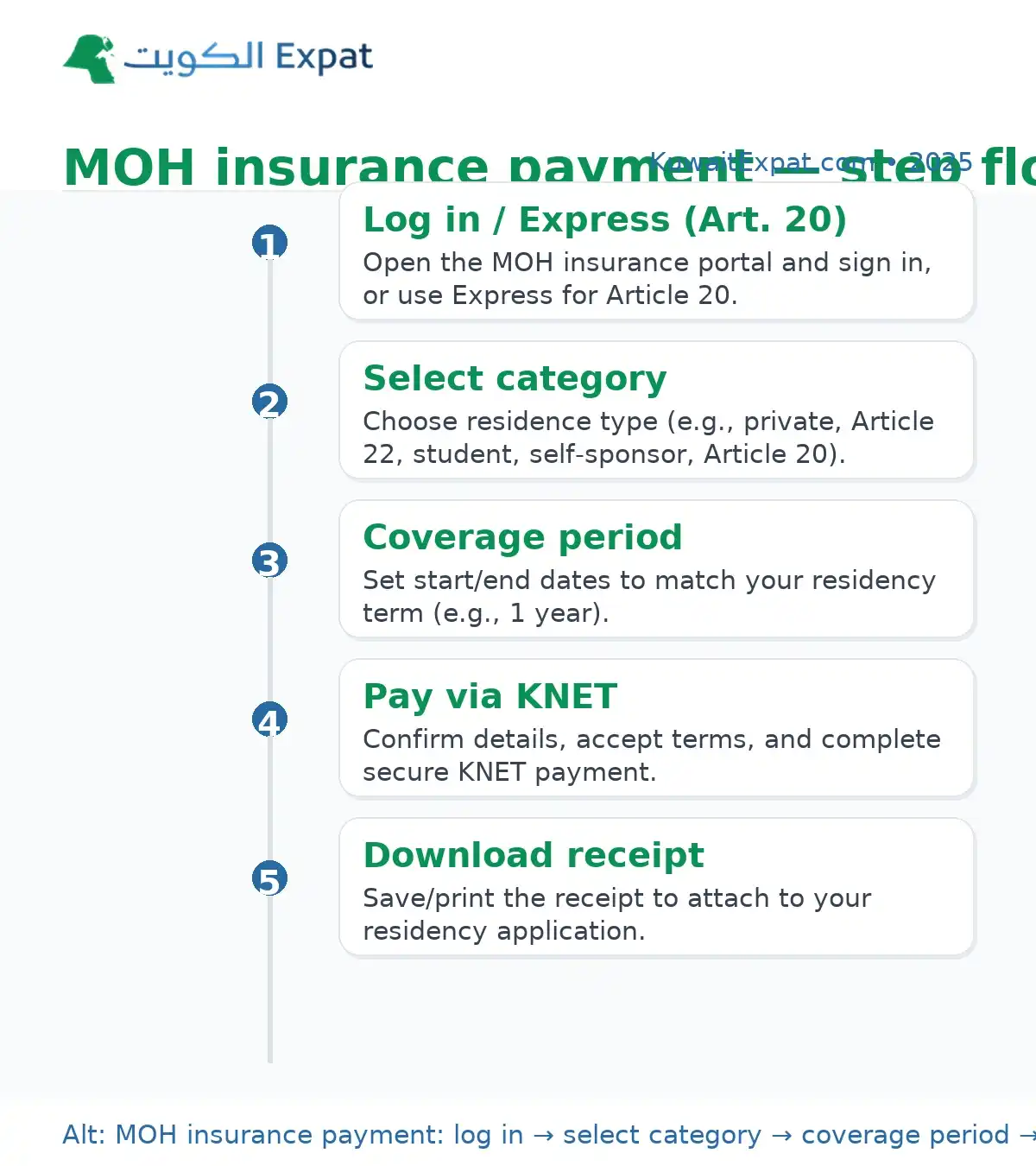
Pay your Kuwait residency health insurance online through the Ministry of Health’s automated portal. Log in with your Civil ID (or use the Article 20 express option), choose the correct residence category, set the coverage period to match your residency, and complete payment securely via KNET. Your receipt is issued immediately.
Do this next
- Go to the MOH health insurance portal and log in (Article 20 can use Express).
- Select your residence category and coverage period (match your residency term).
- Pay via KNET and download the receipt for your residency file.
What this covers
Residency requirement, not a private policy
All expatriates must maintain MOH residency health insurance to obtain or renew their Kuwait residence.
Coverage period equals residency
Your insurance dates should match the residency period you’re applying for (e.g., one year).
Who pays online
Private-sector employees, dependents, students, self-sponsors, and Article 20 (domestic workers) can complete payment online.
Health insurance Kuwait online payment: step-by-step
Step 1: Open the MOH portal
Use the official online health insurance system and choose Log in (or Express for Article 20).
Step 2: Choose service type
Pick Personal (individual) or Group as applicable to your situation.
Step 3: Pick your residence category
Select the correct category (e.g., private business residence, joining family—Article 22, student, self-sponsor, Article 20, etc.). Choosing the right category ensures the correct fee appears.
Step 4: Set status and period
Select New or Renewal, enter your Civil ID, and set the insurance start/end dates to match your intended residency.
Step 5: Confirm details & pay
Review your information, accept the terms, and pay via KNET. Save or print the receipt; you’ll need it for your residency transaction.
Article 20: using Express
No login flow
Article 20 categories (e.g., domestic worker, gardener, fisherman, shepherd) can pay via the Express option without creating an account.
Same data rules
You still choose New/Renewal, enter Civil ID, confirm coverage dates, and pay via KNET. The receipt is issued instantly.
Fees, timing, and proof
- Fee display: The exact fee is shown on the portal after you pick your category and period.
- Payment method: KNET (debit) is supported.
- Processing: Immediate—a receipt is generated right after payment.
- Use of receipt: Attach/submit with your residency renewal or new residency file.
Documents & details you’ll want ready
Civil ID & personal data
Civil ID number, full name as per records, and mobile/email for OTP/alerts.
Payment card
A KNET-enabled debit card with sufficient balance; check daily limits with your bank.
Residency dates
Confirm your intended residency period before paying; your insurance should cover the same window.

Renewal vs. first-time payment
First-time (New)
You’ll set initial coverage dates aligned with your first residency issuance.
Renewal
Choose Renewal, ensure the start date follows your current policy end date, and keep the receipt with your renewal documents.
Common errors & quick fixes
“Civil ID mismatch”
Verify digits and name spelling; if you recently renewed Civil ID, try again after PACI/MOI sync.
“Card declined” on KNET
Check funds and daily limits; try again or use another KNET card.
Wrong category selected
Cancel before payment and re-select the correct residence class so the correct fee is applied.
Pro Tip: Pay a few days before your residency application to avoid system-sync delays between MOH, MOI Residency, and PACI. Keep a PDF of your receipt in email and cloud storage for quick retrieval.
After you pay: what happens next
Receipt & record
Download the receipt immediately; the payment posts to your MOH record.
Residency processing
Proceed with MOI Residency steps; your MOH insurance payment will be referenced during issuance/renewal.

